
You can export a Wixie page as a JPG image file.
Click the File menu and choose Download.
You will see a dialog of options.
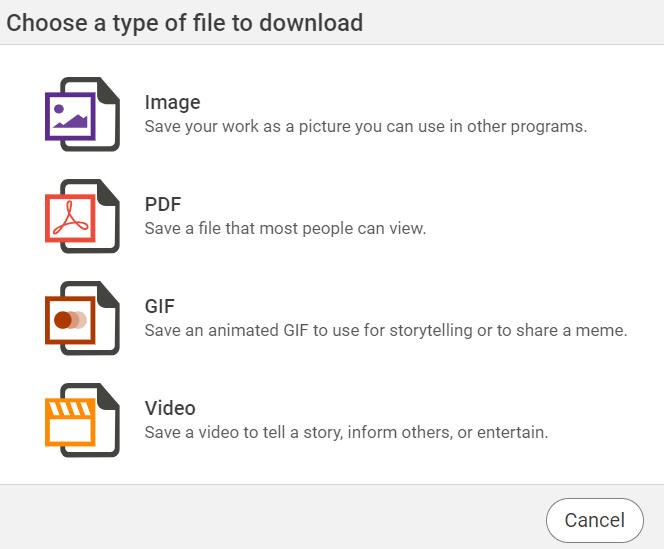
Click Images.
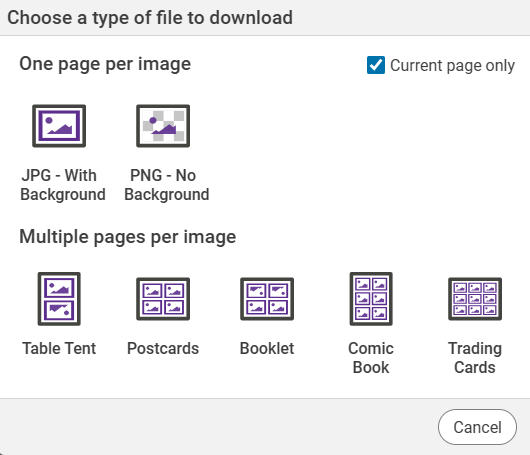
You will see options for the image.
The image, or images, will be downloaded.
If the project has multiple pages, the pages will be saved as JPG files and stored in a ZIP file.
You will see a dialog of options.
Click Images.
You will see options for the image.
If you have multiple pages and only want to download the current page, select the check box for Current page only.
Select JPG or PNG to download the image at full-size.
If you want to display multiple pages in one picture, select the Multiple images per page option you want to use.
The image, or images, will be downloaded.
If the project has multiple pages, the pages will be saved as JPG files and stored in a ZIP file.